Quickstart
Connect your wallet, fund your account, and place your first trade — the shortest path to getting started on Vanta.
Estimated time: 5–10 minutes (depending on your wallet and network). You'll need: a Web3 wallet (or email / passkey sign-in), a small amount of gas for first-time account registration, and USDC for trading. Once done, you can browse markets, check Smart Money signals, and place your first order.
Steps
Connect Wallet
-
Visit the Official Website Go to the Vanta Website and click the "Connect Wallet" button in the top right corner of the page.
-
Select Your Wallet In the pop-up window, select your preferred Web3 wallet (e.g., MetaMask, Phantom, etc.).
-
Confirm Signature Confirm the signature request in your wallet. This signature is only used to verify your ownership of the wallet.
-
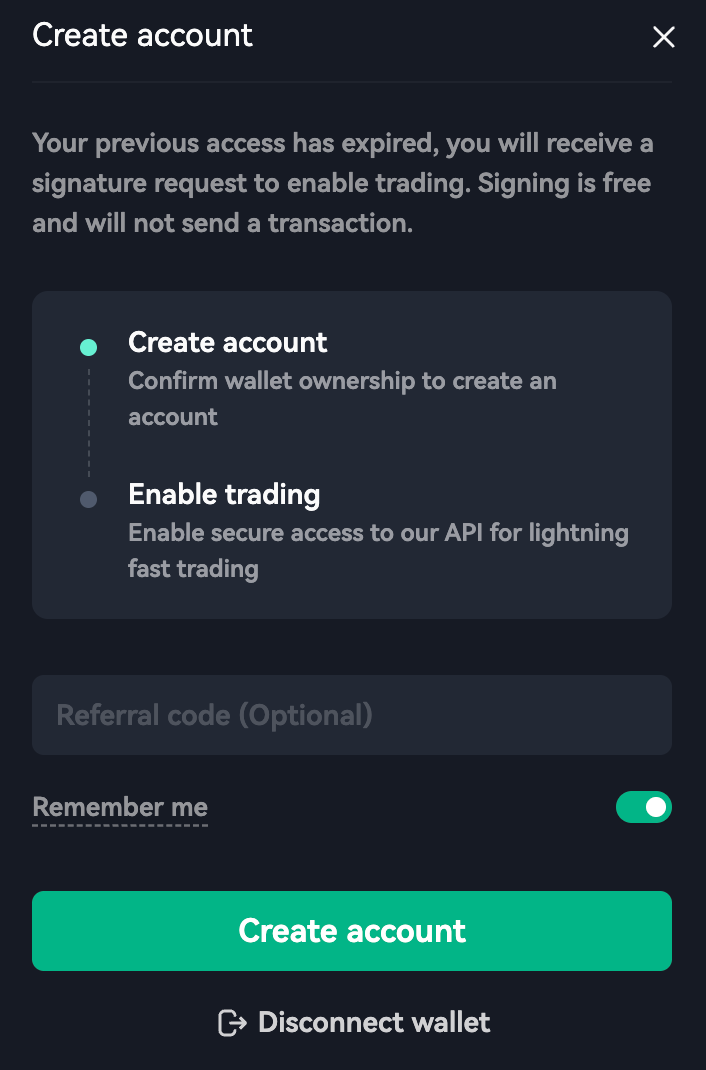
Create account.
Enable Trading
Register an Orderly Account When using Vanta for the first time, you need to click "Enable Trading". The system will request a signature from your wallet. This step creates an exclusive Trading Key for you on the Orderly Network, allowing you to trade without needing to sign every single order or cancellation in your wallet, achieving a "gasless and seamless" trading experience.
Deposit Funds
Deposit USDC as Margin Vanta's perpetual futures trading uses USDC as the unified margin.
- Click the "Deposit" button in the top right corner.
- Select the network you want to deposit from (e.g., Arbitrum, Optimism, etc.).
- Enter the amount of USDC you wish to deposit.
- Click confirm and authorize the transaction in your wallet.
Start Trading
Once your funds arrive (usually within seconds), you can head over to the Markets or Trade page and kickstart your trading journey on Vanta!